Python, Node.js, Ruby, C#, Java, Go, PHP — each installs from its own package registry. One engine written in Rust, called the same way by seven SDKs. It has that shape because the JavaScript library that does this job could not be reached from a Rails app.
The same PDF in every environment
No browser, no headless Chrome. From the CLI, from Docker, or from WASM in the page you are reading, the same template and the same data produce a PDF that matches down to its hash.
It stacks like HTML
The body stacks top to bottom and a box grows to fit what is in it. Change one margin, or make a font bigger, and the engine works out where everything below it goes. flex and grid keep their CSS names.
Agents write the templates
An MCP server and a skill set ship with it. Hand the YAML to an agent and let it fix the template until the diagnostics are clean.
Built for multi-tenant SaaS
Give each tenant its own templates.yml and one codebase renders a different invoice or receipt for each of them. The difference stays in YAML, so it costs no code path and no deploy.
The WASM engine loaded together with this page. Edit the YAML below and it re-renders as soon as you stop typing (nothing is sent to a server).
There are three places worth touching. margin: 24 under page moves the whole page; fontSize: 10 under defaults resizes every line below it; padding: 12 on the card opens up the space around the table. One number each — the engine works out where everything below goes.
The Japanese sample loads the Japanese fonts (about 9 MB) at the press of a button. This is running in your browser, but the CLI, Docker and the SDKs produce the same PDF from the same input.
Shojiku's main job is generating documents like receipts and the customer copy of a reception slip — an engine for business documents that get printed and handed over, not shown on a screen.
In the Python SDK:
python
import shojikuclient = shojiku.Client( templates="templates/", # the directory holding your templates.yml font_dirs=["packs/fonts"], locale_dirs=["packs/locale"],)params = {"order": fetch_order(order_id)} # the values on the page, from your DBresult = client.generate("receipt-ja", params)open("receipt.pdf", "wb").write(result.artifact.bytes)
For how templates are written and what they can express, see the reference (one page per feature) and the tutorials. The skills for handing the writing to an AI are on the agents page.
Tenants wanting their invoices and receipts to look different is an ordinary SaaS requirement. Here that difference stays inside the template YAML: keep one templates.yml per tenant in storage and choose which one to load at render time. One codebase, one Rust engine, called the same way from Python, Go, Ruby, Java, C#, PHP or Node.js.
What a template is allowed to reference is declared in definitions.yml. A tenant-edited template that reaches for a key nobody declared fails a diagnostic before any PDF is produced.
To let a tenant's own staff adjust the look, mount the Designer inside your system: serve its static build under a path of yours such as /admin/designer/, let your reverse proxy authenticate the request before the app is served, and point persistence at your API. Shojiku ships no auth code and hosts nothing (how to mount it).
Someone can ask, months after a receipt was handed out, whether your server really produced that one. Most PDF generation libraries have no signing at all; in Shojiku it is part of the engine's job.
Keep the signed PDF in storage (S3, Cloud Storage) and you can confirm later that it is what your server produced.
The key itself can stay in a cloud KMS or an HSM.
python
# The private key never reaches the Shojiku engine. The engine only hands out# the bytes the signature must cover; what signs them and hands the signature# back is the KMS client your application already uses.provider = shojiku.ExternalSigner( lambda to_be_signed: kms.sign( KeyId=os.environ["KEY_ID"], Message=to_be_signed, MessageType="RAW", SigningAlgorithm="ECDSA_SHA_256", )["Signature"], cert="signer.crt", algorithm=shojiku.Algorithm.ECDSA_P256_SHA256,)signed = result.artifact.sign(provider)
Every SDK and the CLI write this call the same way.
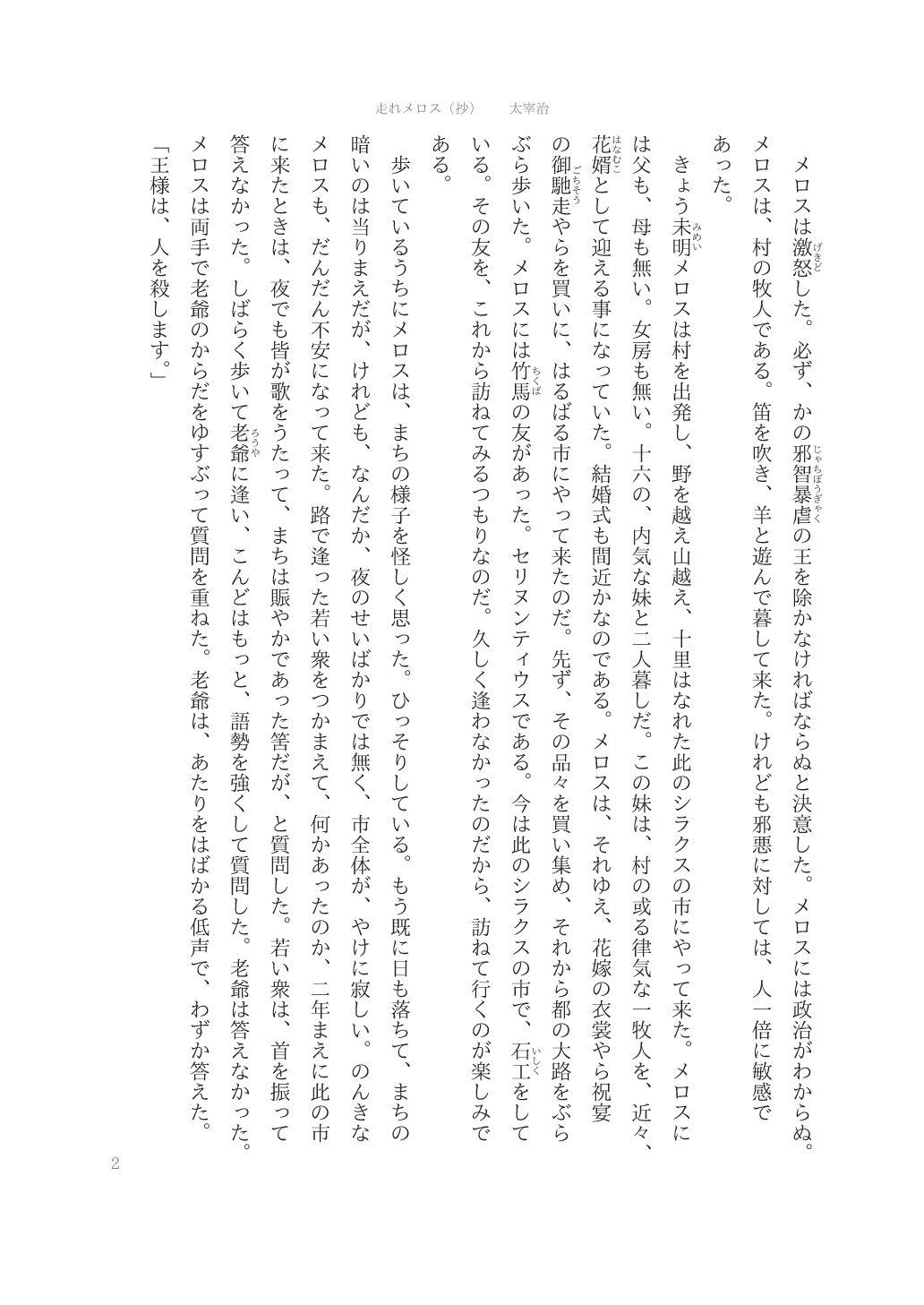
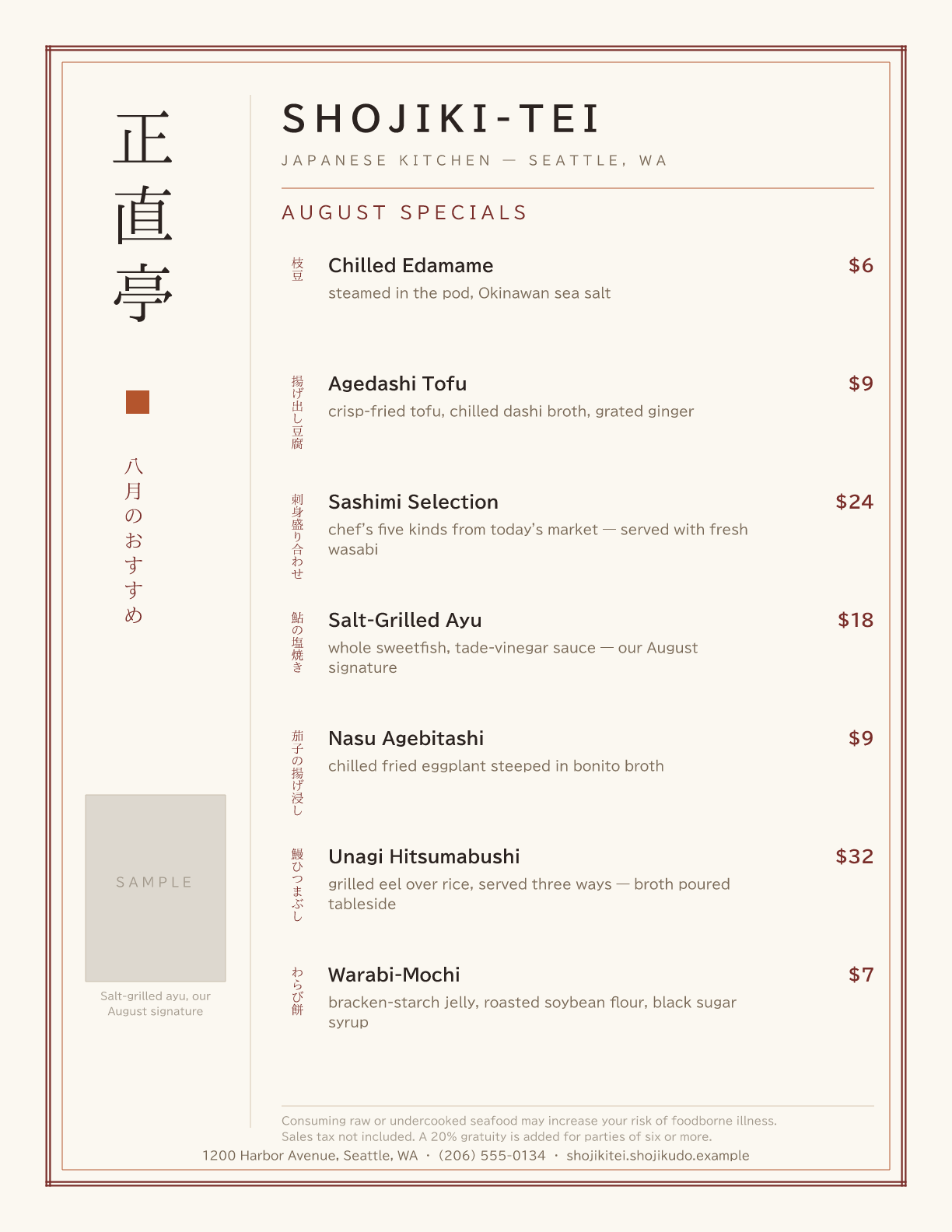
Vertical writing, and forms shaped like a Japanese résumé. Most document engines handle neither. Both pages below were authored by an AI agent and rendered by Shojiku.
Japanese and English are the only languages compiled into the engine. Traditional and Simplified Chinese, Hindi, Filipino and Thai arrive as locale packs, one file each. Currency, dates, digit grouping and fonts all come from that file, so the same template serves every one of them. Other languages covers how to load one.
You do not have to write the template yourself. The MCP server and the skills ship with the engine, so you can hand the job to an agent. Setup is two commands (shown for Claude Code; see the quickstart for the details):
bash
claude mcp add shojiku -- \
  docker run --rm -i --entrypoint shojiku-mcp \
  -v "$PWD:/work" -w /work ghcr.io/kengos/shojiku:edge
bash
npx skills add kengos/shojiku
Then ask:
Make a reception-slip template: shop name on top, the reservation number and a QR code in the middle, an order-items table below.
The agent writes the YAML, checks it against the MCP server, looks at the preview, and keeps fixing until the diagnostics are gone. See the agents page for the setup.
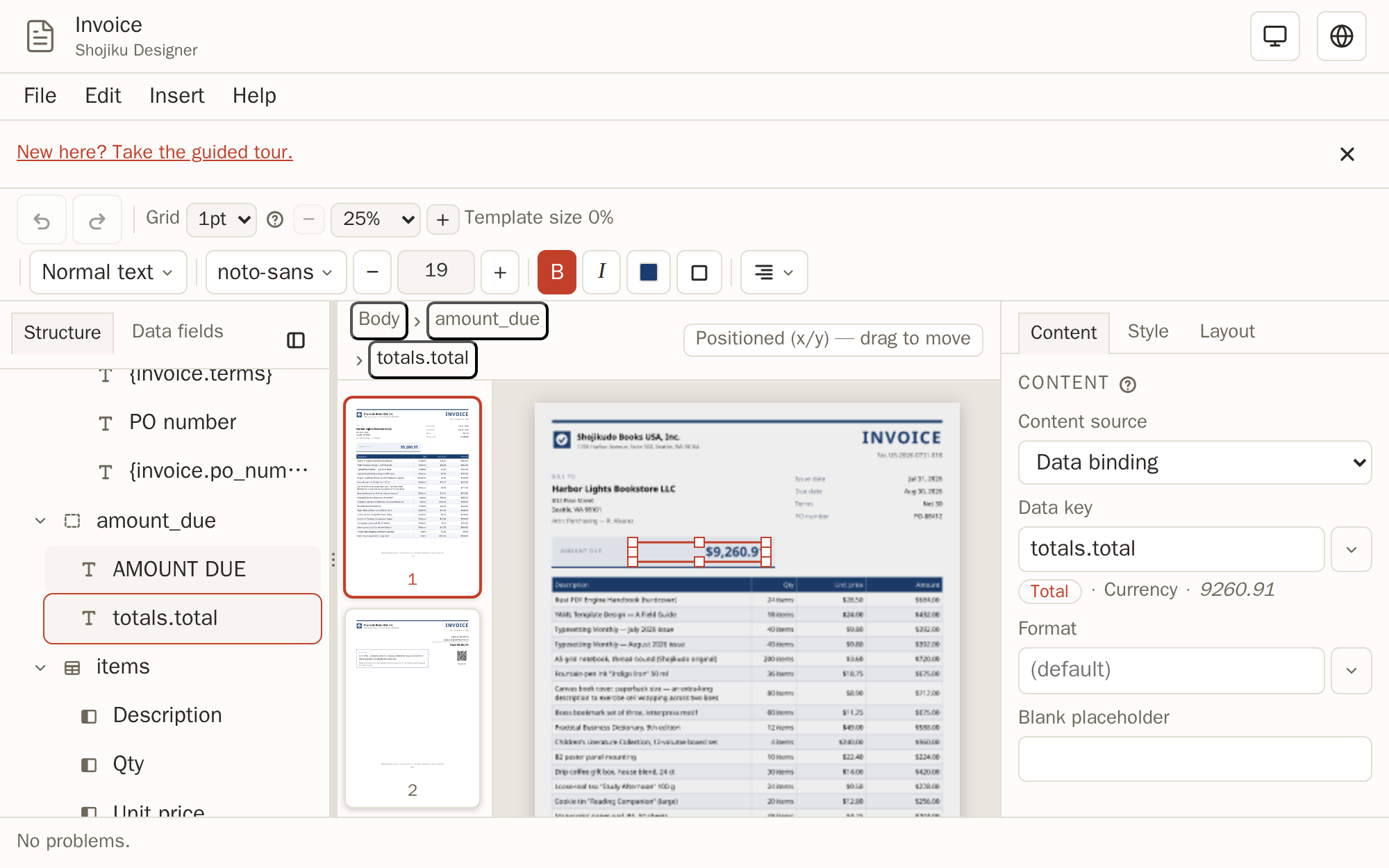
When an AI-authored template has a spot you do not like, fix it yourself: open the Designer in your browser, load the templates.yml, and adjust positions and styles on the canvas.